

Authentication is required to securely access the Hive V2 API. Each project is equipped with one unique API key to begin with, but additional keys can be added to ensure uninterrupted access and flexibility during key rotation.
Where to Find Your API Keys
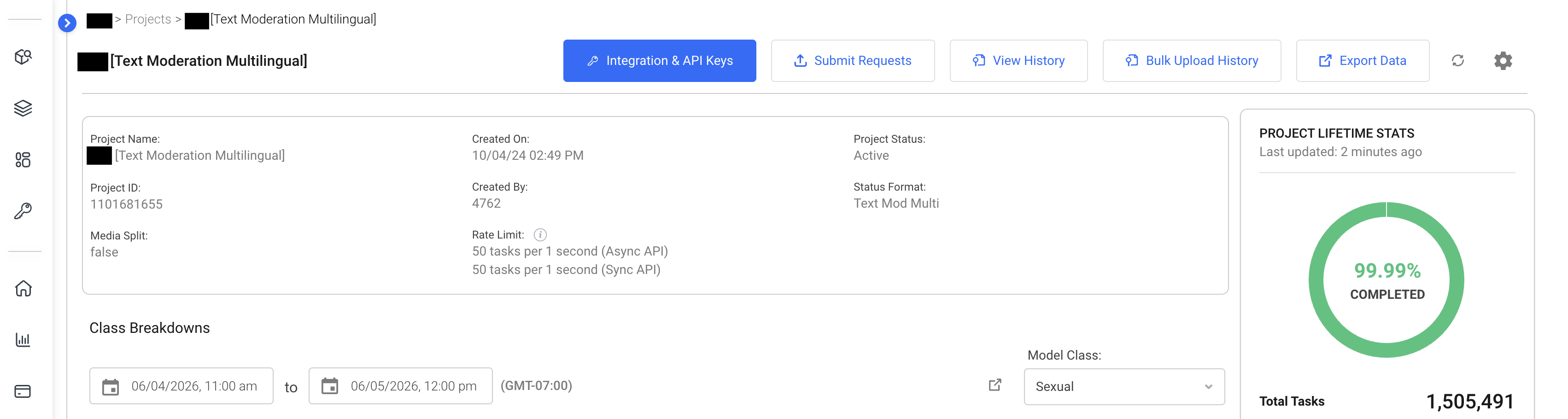
Your project’s API keys are available in the Project Dashboard. Click the blue Integration & API Keys button to view your keys. Each project is assigned one API key to begin with, but additional keys can be added and used interchangeably. Having multiple keys allows for seamless transitions during key refreshes without interrupting your API access.
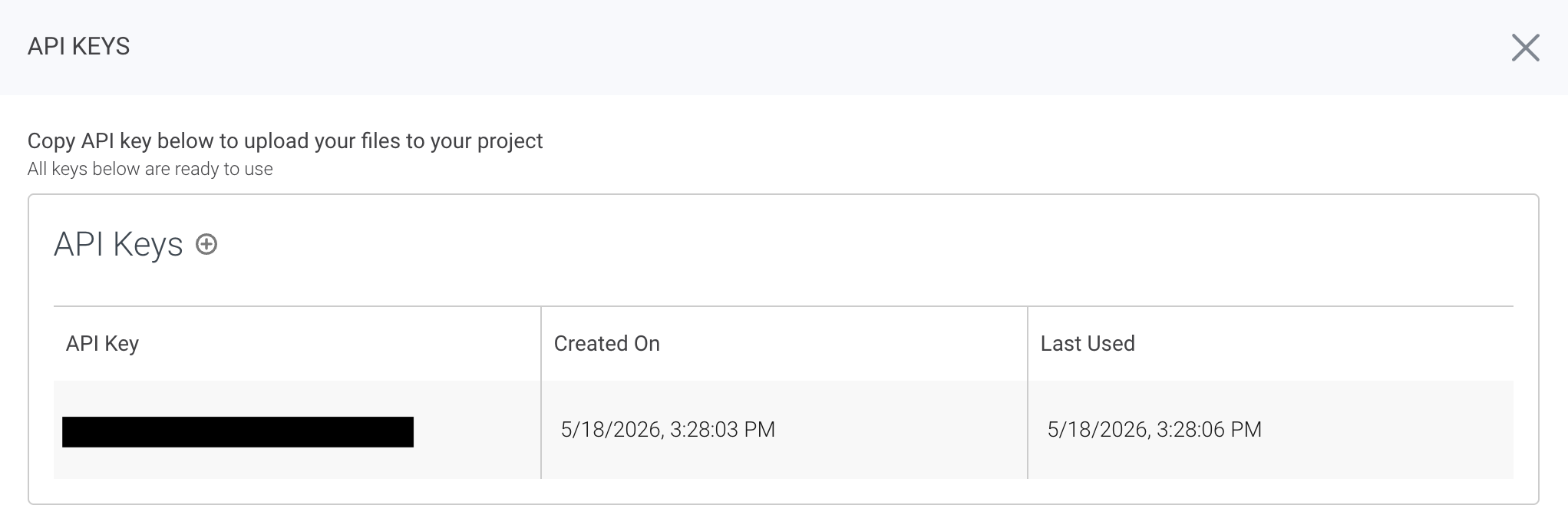
To add additional keys, click the plus icon above your existing key(s).
Why Additional API Keys?
While only one API key is needed to authenticate requests, having additional keys offers additional flexibility:
- You can rotate one key while keeping the other active, ensuring no downtime for your submissions.
- Each key can be refreshed independently, allowing for secure and convenient key management.
Deleting an API Key
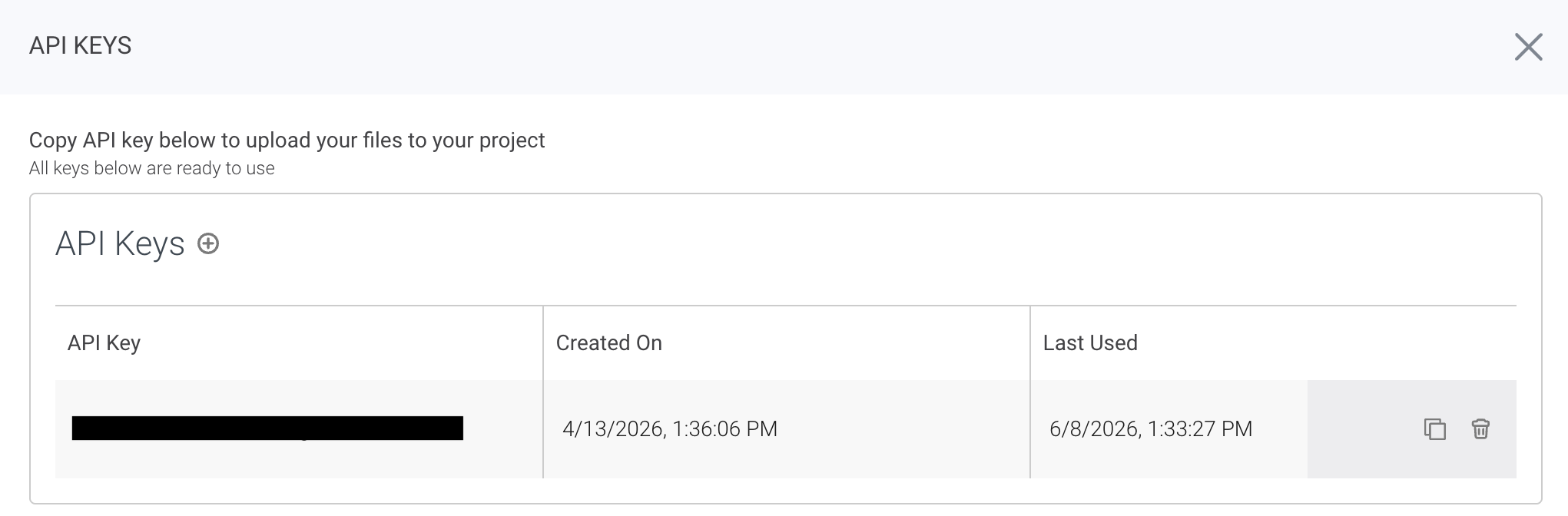
To delete an API key, hover your cursor over the key you wish to delete. Click the trash can icon that appears on the right to delete the key.
Deleting an API key will immediately invalidate it. Ensure that this key is no longer being used before deleting.
How to Use Your API Key
To authenticate requests, include your API key in the HTTP header:
authorization: token <YOUR_API_KEY>This header is required for all API calls. For example, when making a request to the V2 API, your endpoint should look like this:
- Asynchronous endpoint:
https://api.thehive.ai/api/v2/task/async - Synchronous endpoint:
https://api.thehive.ai/api/v2/task/sync
Example Request
Here’s a sample curl command demonstrating how to include the authorization header:
curl -X POST \
     -H "authorization: token <YOUR_API_KEY>" \
     -H "accept: application/json" \
     -d '{"some_data_here"}' \
     https://api.thehive.ai/api/v2/task/async
For more details on submitting tasks, check out Creating Tasks in the API.